
Reports arrive late
Data lives in WhatsApp, paper and five versions of a spreadsheet.

Construction progress, live
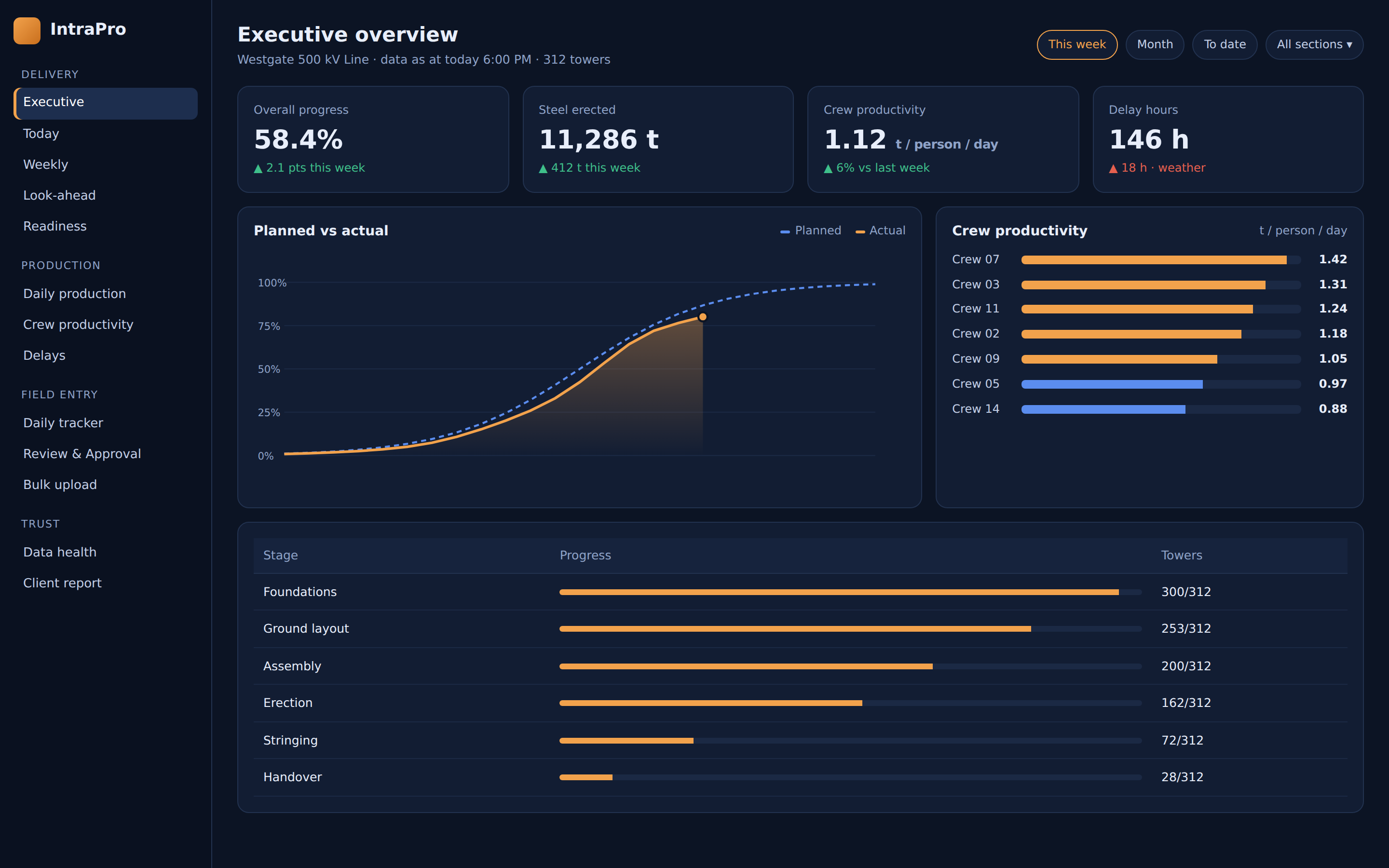
IntraPro turns your crews' daily reports into live, approved dashboards. No more spreadsheets stitched together at midnight, and no more numbers nobody trusts.
Captured on site. Approved by engineers. Ready to report.
Data lives in WhatsApp, paper and five versions of a spreadsheet.
Every manager recalculates progress differently.
Engineers copy, check and reformat instead of building.
01 / How it works
A clear path from the daily site entry to the weekly meeting.
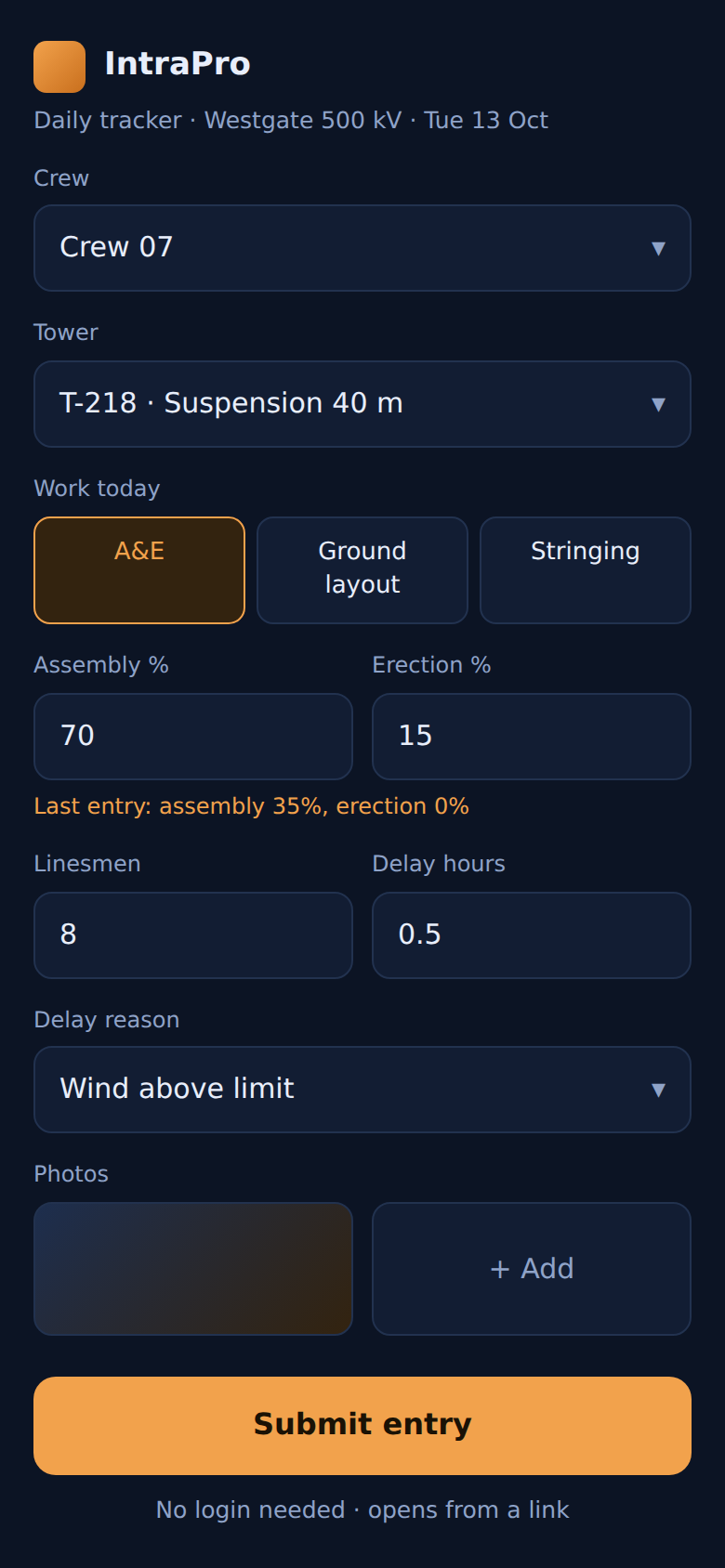
Crews submit a 60-second daily entry from a phone link, or upload a spreadsheet.
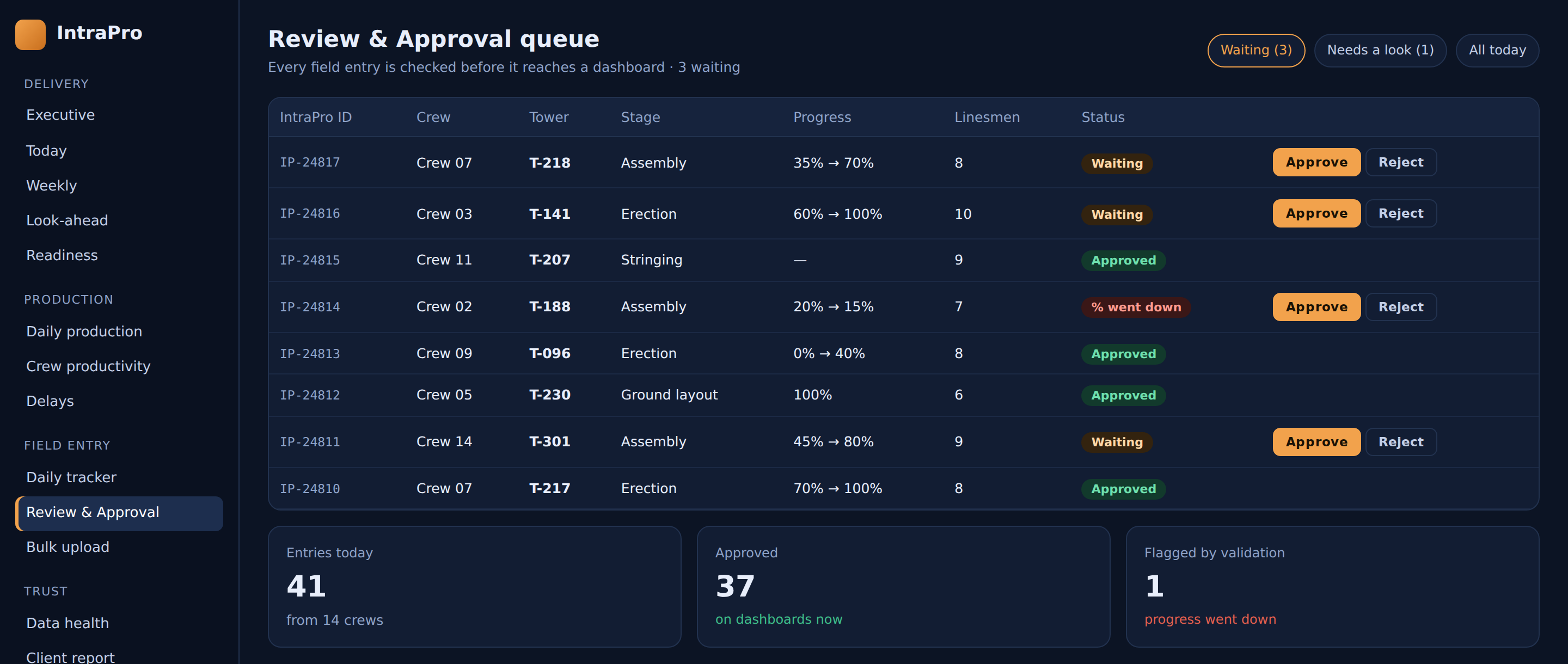
IntraPro checks every entry against the project's rules (progress can't silently go backwards, hours must add up) and flags anything odd.
Engineers approve or correct entries in one review queue. Only approved data reaches a dashboard.
Live dashboards for executives, crews and clients, plus one-click PDF and PowerPoint exports.
01 / From the field
03 / Checked before it counts
02 / The product
Everything you need to track progress, explain delays and report with confidence.
Progress, planned vs actual, look-ahead, readiness and handover, all on one screen.
Tonnes per person per day, crew rankings and weekly trends.
Every delay hour logged with its reason, so you have the evidence for extension-of-time claims.
A real database behind every chart, and it still syncs with the Google Sheet your team already uses.
Any chart shows the formula and the data behind it.
Each person sees only the pages their role needs. Sign-in is secure single sign-on.

03 / On site
Your crews don't need training. They get a link, fill in a short form and submit. Fields pre-fill from yesterday's entry, so a daily report takes about a minute.
04 / In the meeting
Walk into the weekly meeting with numbers everyone already agrees on. Export the client report as a PDF or drop any chart into PowerPoint.

05 / Proven on site
[Client quote placeholder. Replace before launch]
[Name, Role, Company]
06 / Who it's for
Track towers, line sections and crews across large energy projects.
Keep daily progress and delays visible across sites and work fronts.
Bring every crew’s daily report into one approved project view.
01 / Time
[x hours saved, replace with real figure]
02 / Visibility
03 / Confidence
07 / FAQ
The things project teams ask us first.
Book a 30-minute demo. We'll show you what your project looks like on a live dashboard.